1. How to connect 8 motors to one motor driver module?
A single L298N motor driver module is designed as a dual H-bridge, meaning it can control two DC motors independently. To control 8 motors, you would require four separate motor driver boards. You would wire each board to your microcontroller, allowing you to manage all motors in your project.
2. How to control L298N motor driver module?
To control the L298N motor driver, you send logic signals from a microcontroller to its input pins (IN1-IN4) to set the direction of rotation. For speed control, you apply PWM signals to the enable pins (ENA and ENB). This method provides precise and reliable DC motor control for your robotics projects.
3. How to control L298N motor driver module with mobile?
To control the motor driver with your phone, you need to create a wireless link using an Arduino and a communication module, such as Bluetooth or Wi-Fi. A mobile app sends commands to the Arduino. The Arduino then processes these commands and signals the motor driver board to operate the motors accordingly.
4. How to use L298N motor driver module?
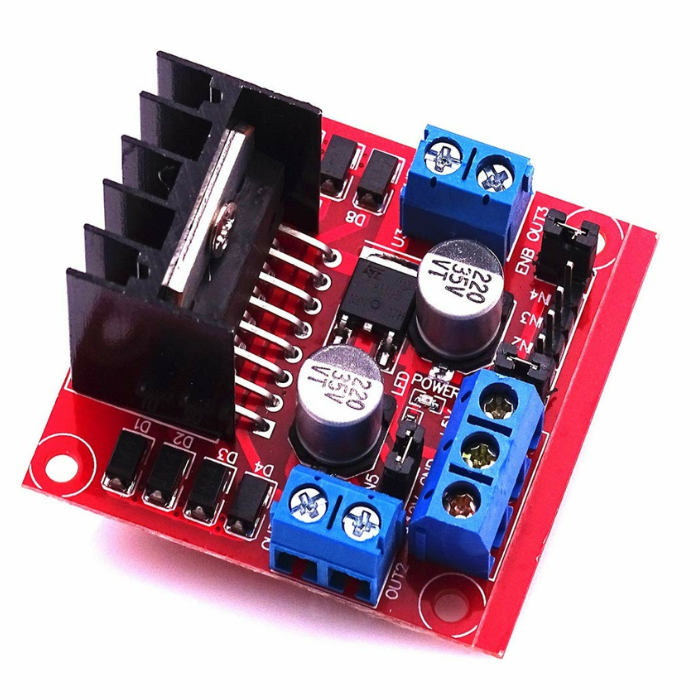
The L298N motor driver module serves as a high-power switch that allows a low-power microcontroller to operate motors safely. You connect your motors to the output terminals, provide a suitable power supply, and send control signals for direction and speed. It is a versatile module that can drive two DC motors or one bipolar stepper motor.
5. How to use motor driver module?
You need a motor driver module because a microcontroller's pins cannot supply enough current to run a motor directly. The L298N motor driver board is a popular choice that takes low-current control signals and amplifies them. This enables both direction control and precise PWM-based speed control.
6. How to use motor driver module instead of shield?
Using a standalone motor driver module instead of a stacked Arduino motor shield offers much greater flexibility in your project design. This approach allows for custom wiring and component placement. It also provides more versatile power supply options, as you are not limited by the fixed form factor of a shield.
7. How to use motor driver module with Arduino?
To use the driver module with an Arduino, connect the module's logic pins to the Arduino's digital output pins and provide a separate power source for the motors. In your code, you send digital signals to control the motor's direction and PWM signals for speed. The L298N motor driver is an excellent choice for this, with plenty of examples and libraries available.









 Chat
Chat


