1. What is a Type C to Micro USB cable used for with micro?
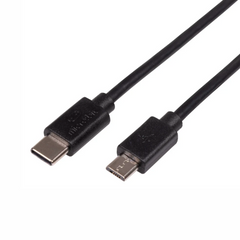
A Type C to Micro USB cable connects a USB-C host device to the Micro USB port on a micro. It can provide power and data communication, allowing you to connect the board to a compatible computer or Android device and transfer programs. The official micro USB-C cable supports USB 2.0 data transfer up to 480 Mb/s.
2. Can I use this C to Micro USB cable to program a micro?
Yes. This cable is designed to support both power and data transfer, so it can be used to connect a compatible micro to a USB-C computer or other supported host device for programming. After connecting the board, you can use Microsoft MakeCode or the micro Python Editor to create and transfer programs.
3. Is this the same as a mini USB cable?
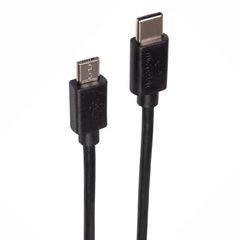
No. Mini USB and Micro USB are different connector formats. This cable uses a USB-C plug on one end and a Micro USB Type-B plug on the other. It is designed for micro boards that use a Micro USB connection and should not be confused with a Mini USB cable.
4. Is this cable suitable for micro projects?
Yes. It is useful for programming, testing and powering compatible micro boards during development. Its 0.3m length is convenient for classroom workbenches, maker setups and electronics projects where a shorter cable helps reduce cable clutter.
5. Can this cable be used with a USB-C computer?
Yes, provided the computer has a compatible USB-C port that supports the required USB connection. The cable connects the computer's USB-C port directly to the micro's Micro USB port, eliminating the need for a USB-A-to-USB-C adapter.
6. Is this a charging-only cable?
No. The official micro USB-C cable is designed for both power and data transfer. This is important when programming a micro because a power-only cable can turn the board on but cannot establish the USB data connection needed for programming.







 Chat
Chat


